Use Case – High crash count and high cpu usage on number of citrix servers in farm
Use Case – High Crash Count and High CPU Usage on Citrix Servers
Discovered
UXM triggered alerts indicating a high number of crashes occurring on endpoints, along with reports of elevated CPU usage across several Citrix servers.
Actions
Technicians investigated which processes were crashing and discovered that the issue occurred only for msedgewebview2.exe on 6 out of 90 Citrix servers.
Reference Images:
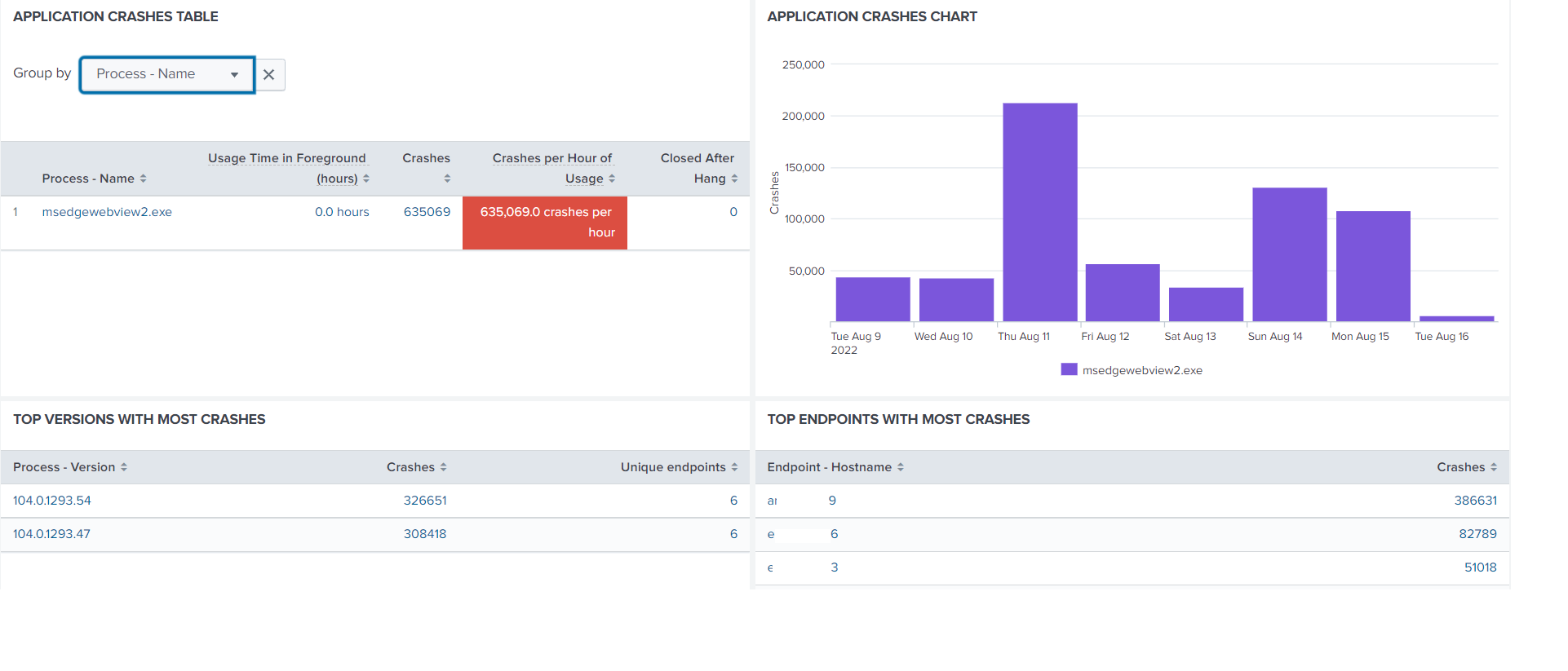
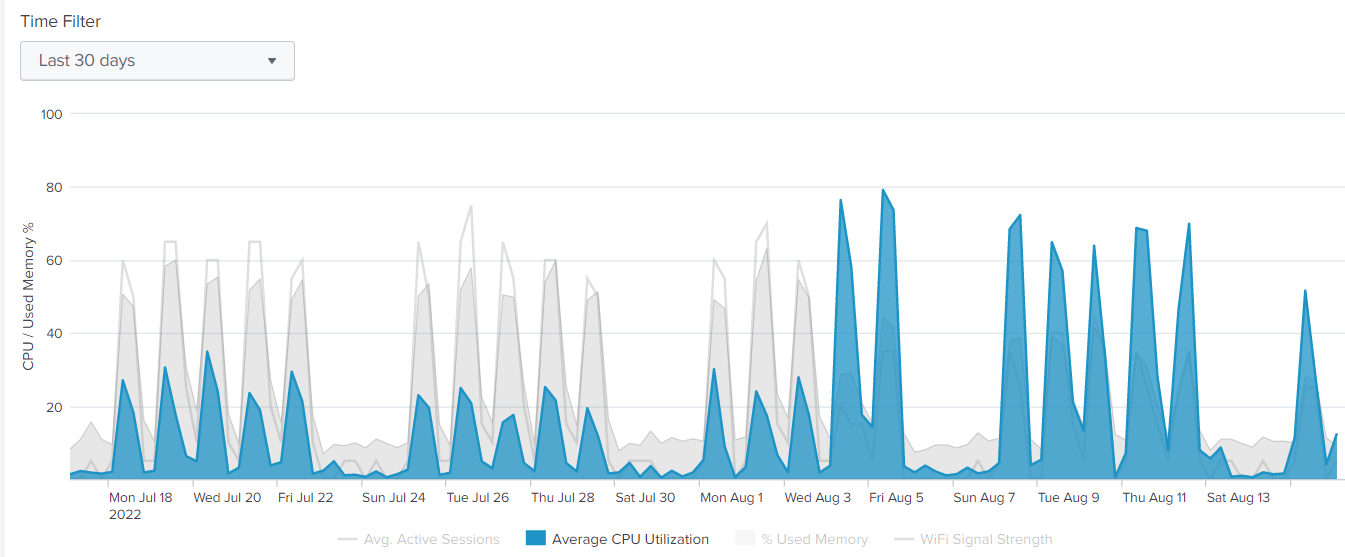
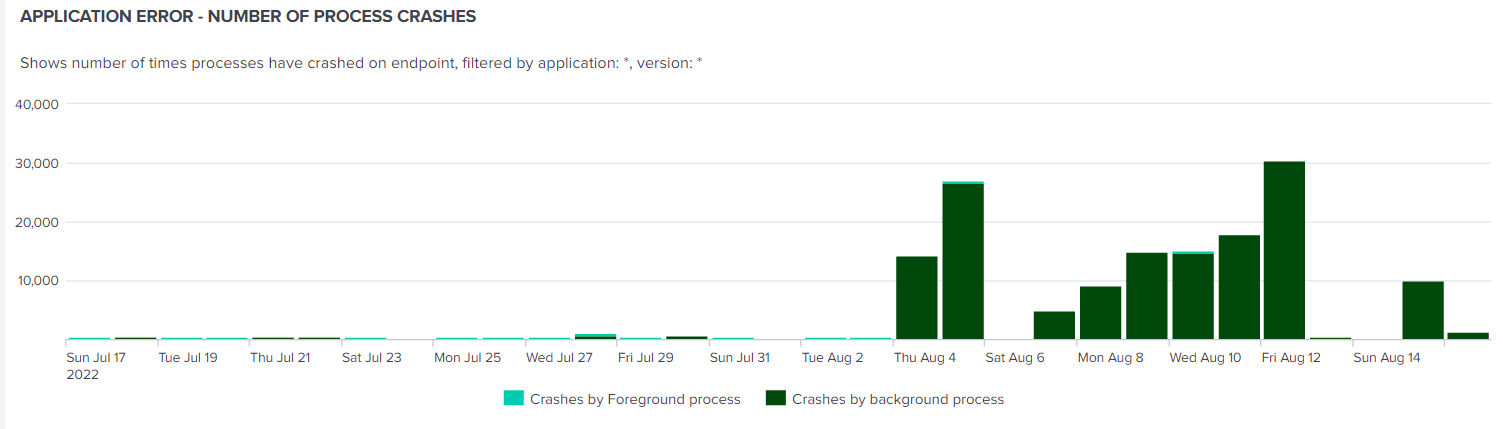
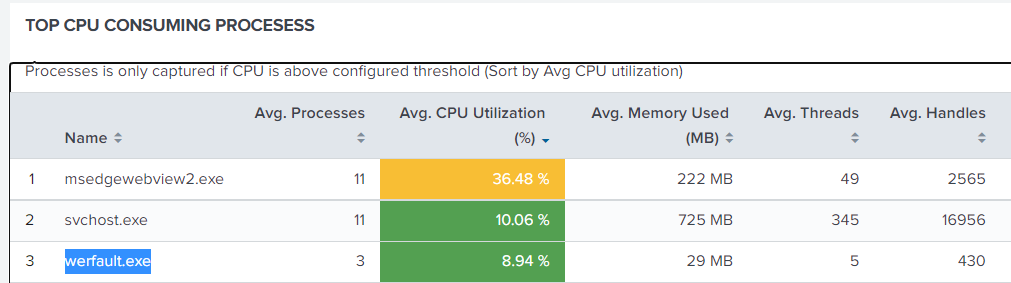 The average CPU usage had increased from 20% to 70% since August 4th due to
 msedgewebview2.exe crashing continuously.
This caused Windows to launch WerFault.exe to generate process dumps.
Solution
Technicians traced the origin of the msedgewebview2.exe process and discovered that it was being launched by the Outlook Desktop app whenever Citrix users opened Calendar appointments.
Reference Image:

Further investigation revealed that only 6 out of 90 Citrix servers had the Edge WebView2 embedded browser installed.
This occurred because Office 365 was automatically pushing WebView2 via the Office installation package.
Reference: Microsoft WebView2 Installation Guide
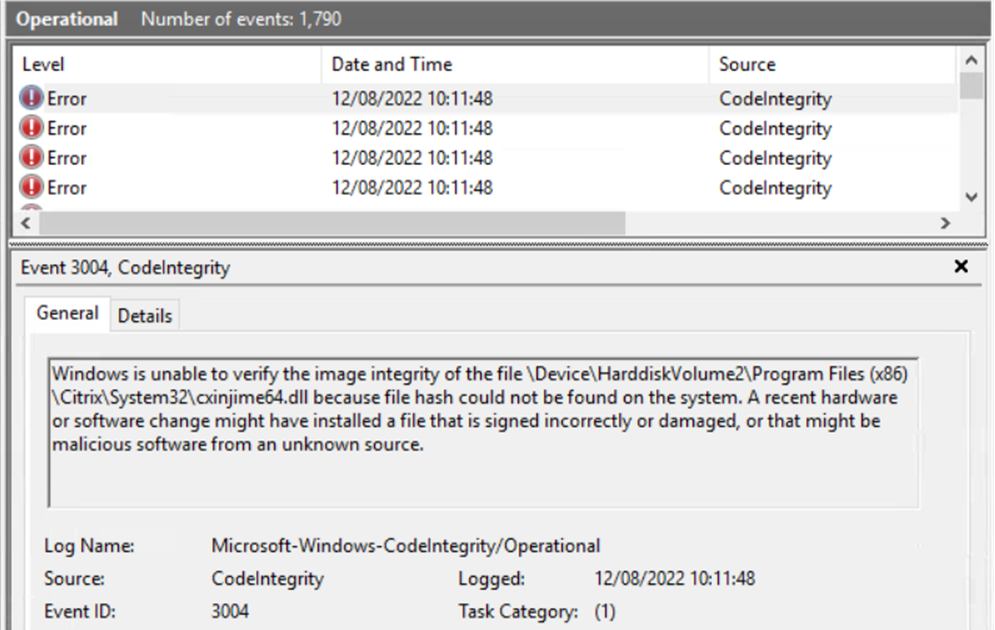
Additionally, CodeIntegrity events were recorded in the Windows Event Log, indicating that Citrix was hooking into the msedgewebview2.exe process.
Reference Image:
Root Cause and Resolution
Background:
XenDesktop/XenApp version 7.9 and later uses Kernel APC Hooking as a replacement for AppInit_DLLs used in earlier versions.
All Citrix Hooking—including MfApHook.dll and MfApHook64.dll—was disabled to isolate the issue.
Registry Fix:
Create the following registry value to exclude the problematic process:
Key: HKLM\SYSTEM\CurrentControlSet\services\CtxUvi
Value Name: UviProcessExcludes
Type: REG_SZ
Value: msedgewebview2
After applying this change, the issue was resolved.
Reference:
How to Disable Citrix API Hooks on a Per-Application Basis (CTX107825)
Deployment
After successful internal testing, the fix was rolled out to the remaining Citrix servers in the farm via Group Policy Objects (GPOs).