Custom Locations
Define custom locations using country, CIDR and a range of internal IP's.
Maxmind GeoIP database (<https://www.maxmind.com/en/geoip-demo>) is used to lookup public IP's and map them to a country, if they are not mapped to custom location.
Accessing
Using the dropdown menu, navigate to Administration -> Custom Locations.
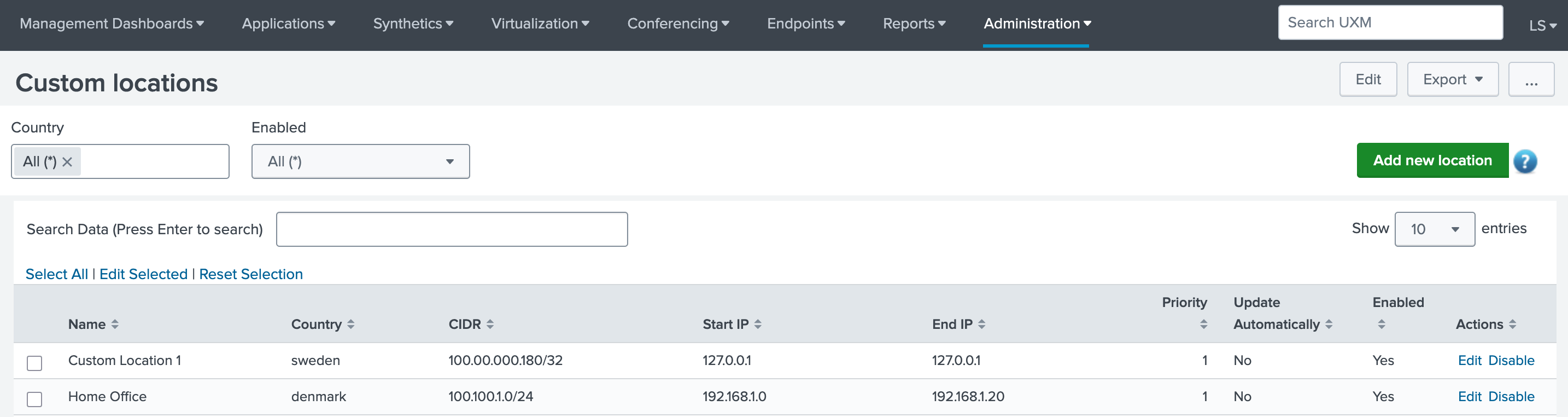
Create Custom Location
To create a new custom location entry, click the green "Add new location" button, at the upper right corner. Once clicked, a popup window will be shown, fill out the required fields.
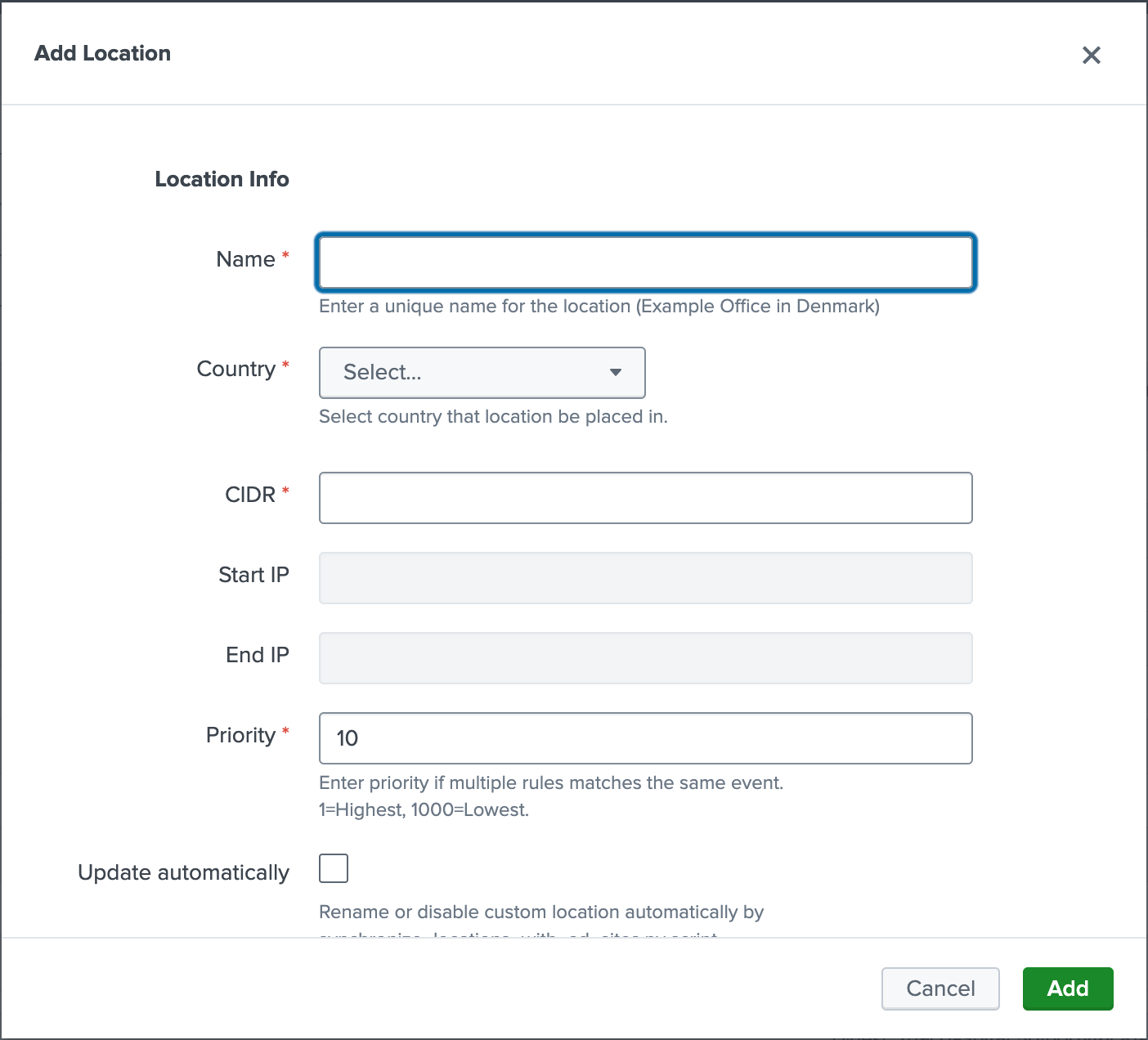
IP range is automatically created based on the provided CIDR, see CIDR examples for explanation.
Edit Custom Location
To modify a custom location, click the "Edit" option under the "Actions" column, at the corresponding location row you wish to edit.
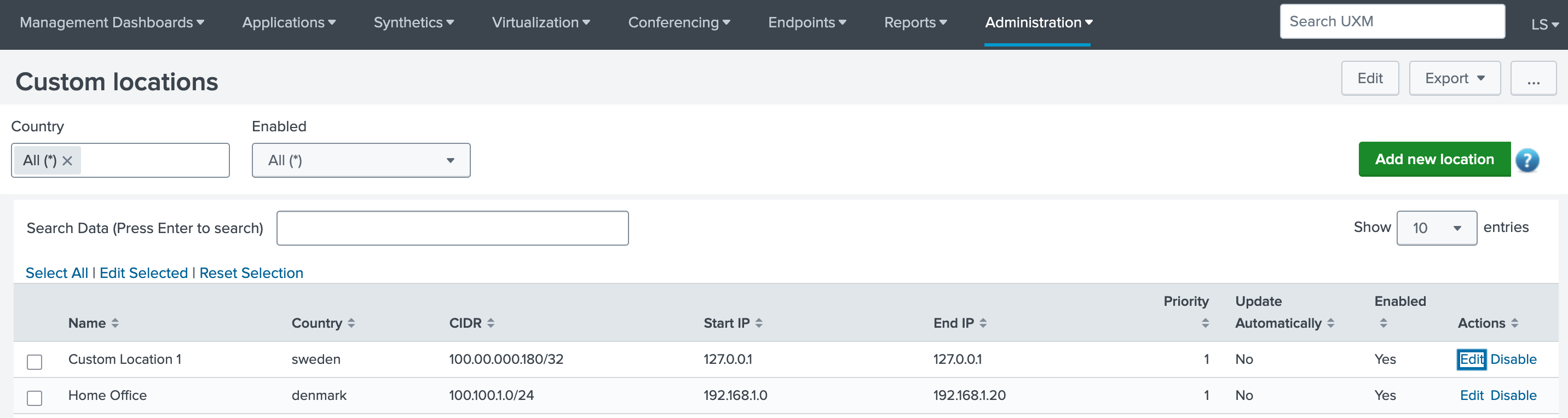
Once clicked, a popup window will be displayed, proceed with editting and saving the changes.
Delete Custom Location
Select "Edit" the custom location, a popup window will be shown, press the "Delete" button.
CIDR to IP Range (Example)
You can use an online calculator, if you only have the start and end ip scope.
- Map Single Host CIDR
Use /32 to map a single host, is written as x.x.x.x/32
- Map Range
CIDR = 192.168.3.55/28
IP ADDRESS = 192.168.3.55
| 192 | 168 | 3 | 55 |
| 11000000 | 10101000 | 00000011 | 00110111 |
NET MASK 28 bits turned on
| 11111111 | 11111111 | 11111111 | 11110000 |
IP ADDRESS AND NET MASK
| 11000000 | 10101000 | 00000011 | 00110111 |
| 11111111 | 11111111 | 11111111 | 11110000 |
| 11000000 | 10101000 | 00000011 | 00110000 |
Start IP = 192.168.3.48 (11000000.10101000.00000011.00110000)
Last octet in the NET MASK: 11110000
| 11111111 | 11111111 | 11111111 | 11110000 |
Last bit turned on in last octect: 16
| 1 | 1 | 1 | 1 | 0 | 0 | 0 | 0 |
| 128 | 64 | 32 | 16 | 8 | 4 | 2 | 1 |
48-16-1=63
End IP = 192.168.3.63
IP RANGE = 192.168.3.48 - 192.168.3.63