Distribute UXM Web Edge (Chromium) Extension
Windows
Distribute Via Group Policy (GPO)
Download and install the Edge Administrative Templates from Microsoft.
Requires UXM Desktop Agent version 2022.08.01 or higher, use Chrome browser extension for older versions of UXM: Distribute UXM Web Edge (Chromium) extension from Chrome Web Store
Modify "Control which extensions are installed silently" under Computer Configuration -> Policies -> Administrative Template * -> Microsoft Edge -> Extensions
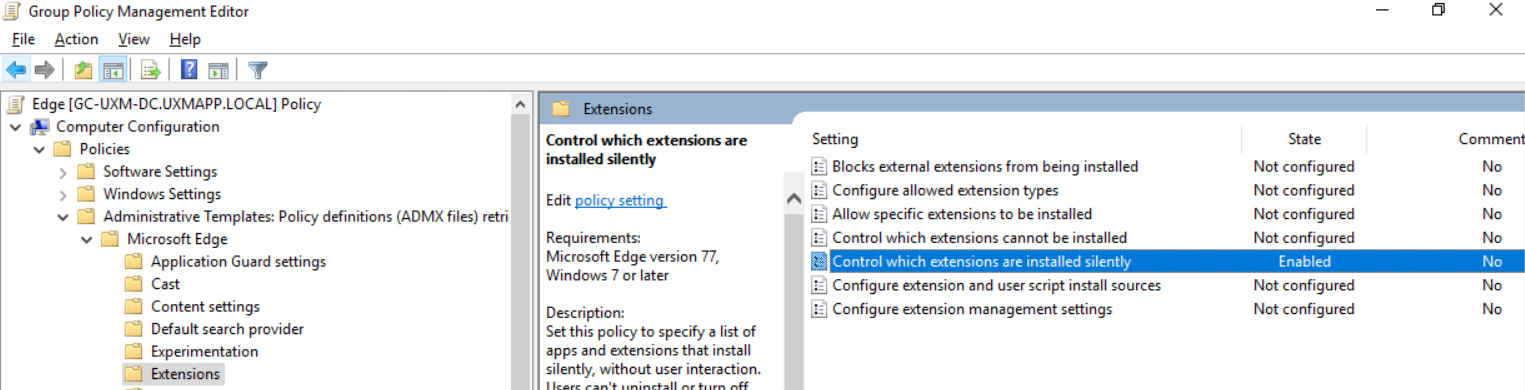
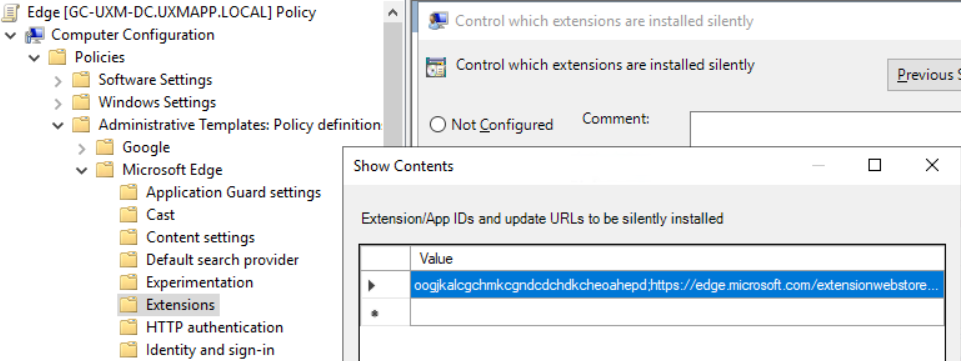
Set it to enabled and add our extension to the list of forced extensions, our UXM Web extension is called:
dkdgacdaedoigohjkiblhihockpkddom;https://edge.microsoft.com/extensionwebstorebase/v1/crx
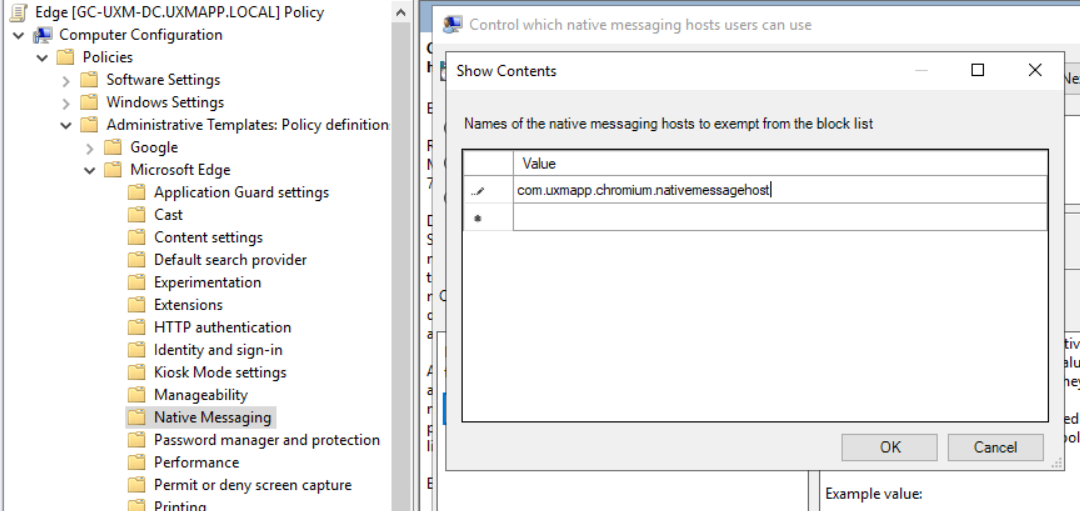
And modify "Control which native messaging hosts users can use" under Computer Configuration -> Policies -> Administrative Template * -> Microsoft Edge -> Native Messaging
Value to add: com.uxmapp.chromium.nativemessagehost
Extension will be install on the Active Directory joined machines next time they synchronize GPO settings, you can force the synchronization by executing gpupdate /force in a elevated cmd prompt on the domain joined client machine.
Distribute Via Azure Intune
Add UXM Browser Extension to organizations existing Edge profile or create new profile for controlling Edge extensions deployed silenty.
Create Edge profile by selecting Devices -> Configuration -> Create new policy
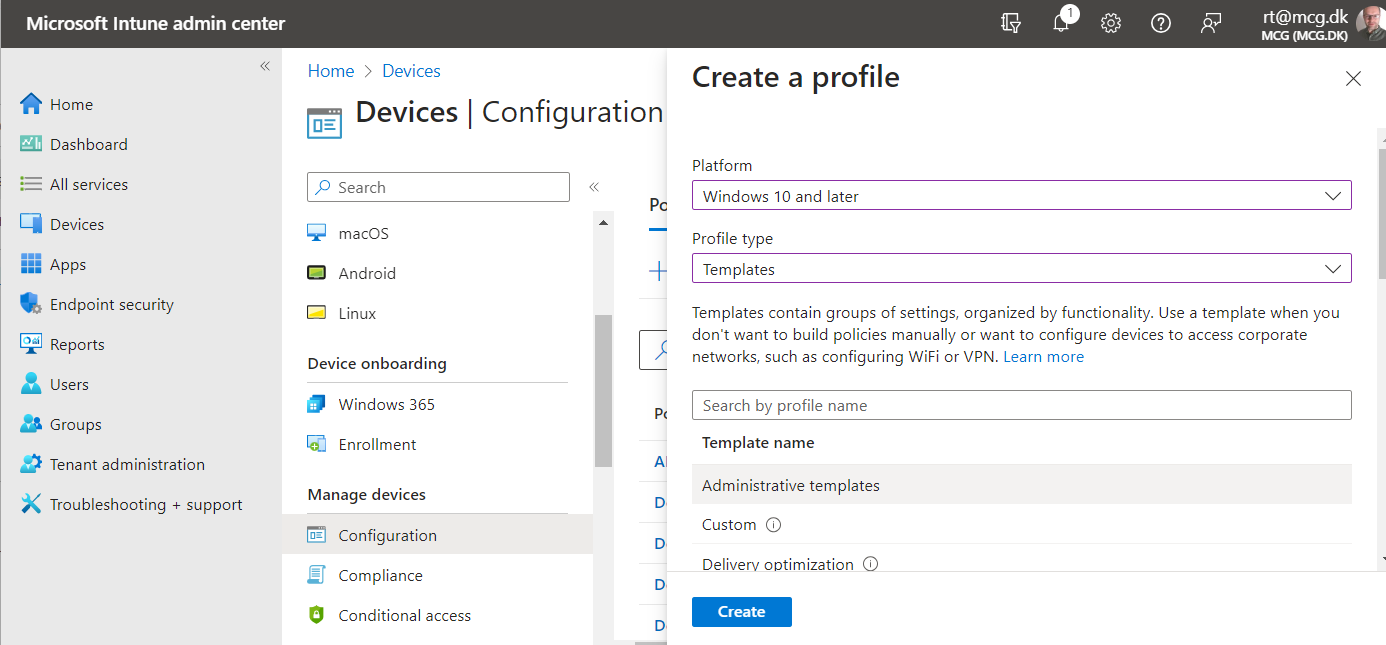
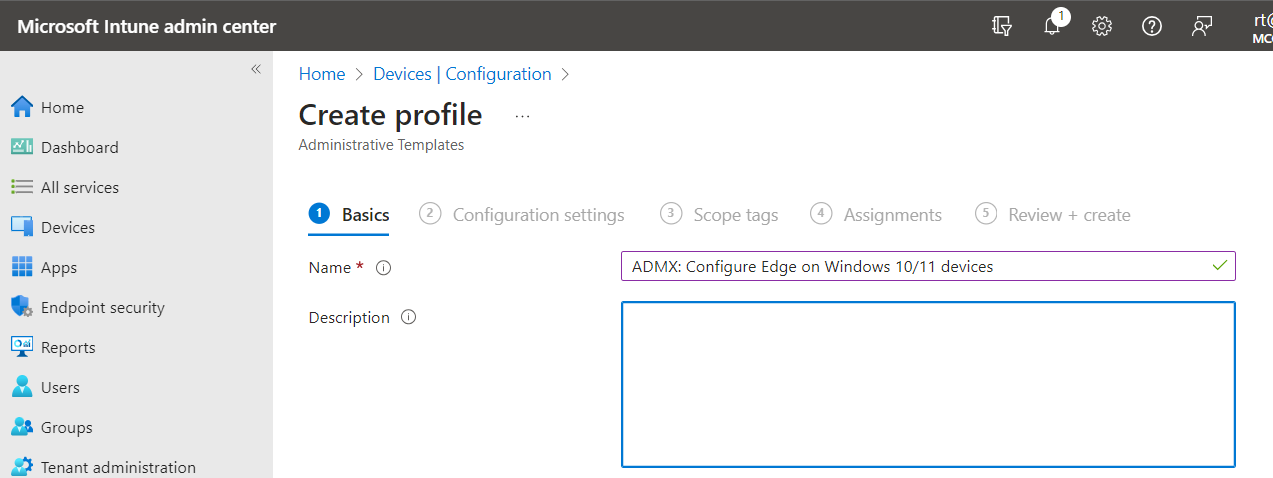
Give the profile a name for example: ADMX: Configure Edge on Windows 10/11 devices and click next
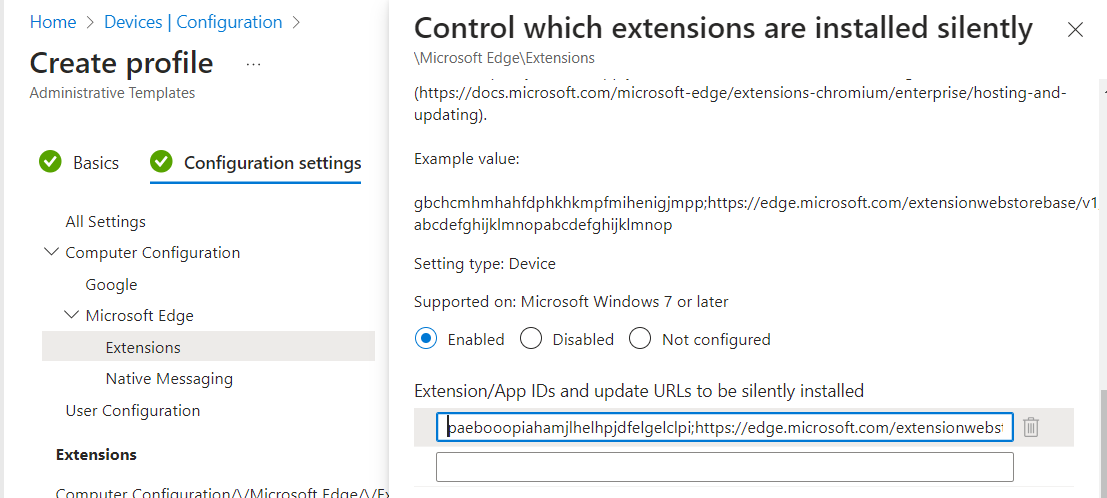
Modify "Control which extensions are installed silently" under Computer Configuration -> Microsoft Edge -> Extensions
Set it to enabled and add the UXM extension to the list of forced extensions, the newest UXM Web extension is called:
dkdgacdaedoigohjkiblhihockpkddom;https://edge.microsoft.com/extensionwebstorebase/v1/crx
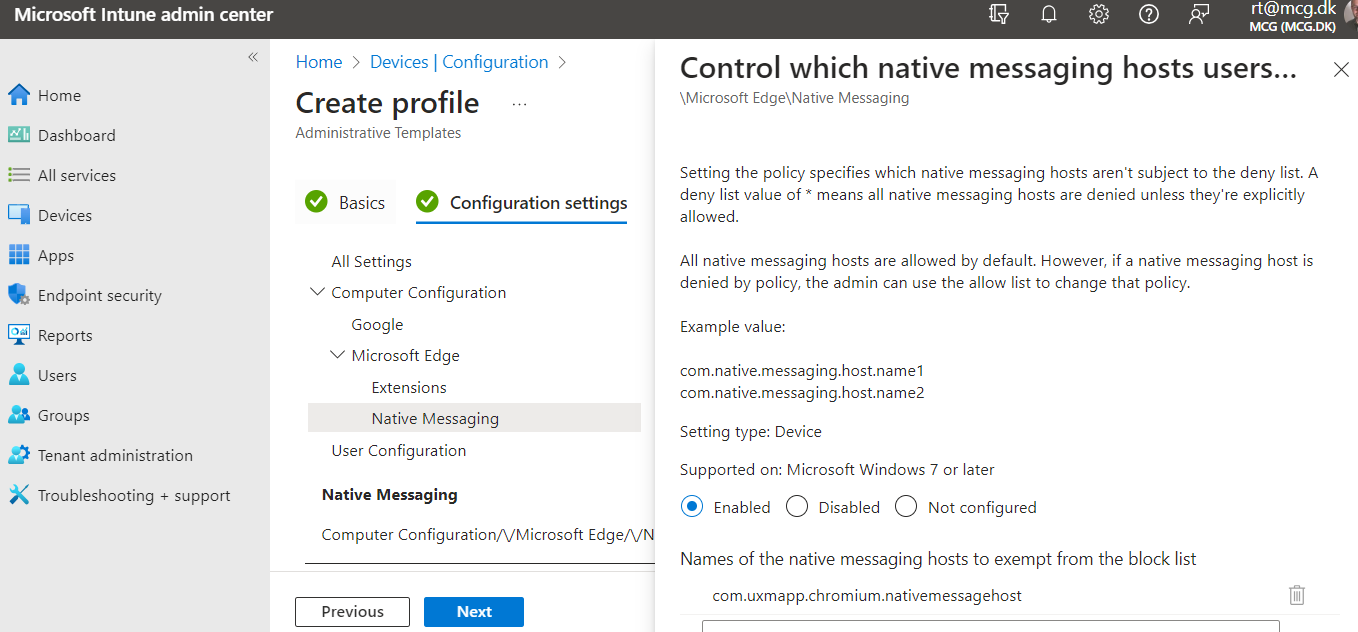
And modify "Control which native messaging hosts users can use" under Computer Configuration -> Microsoft Edge -> Native Messaging
Value to add: com.uxmapp.chromium.nativemessagehost
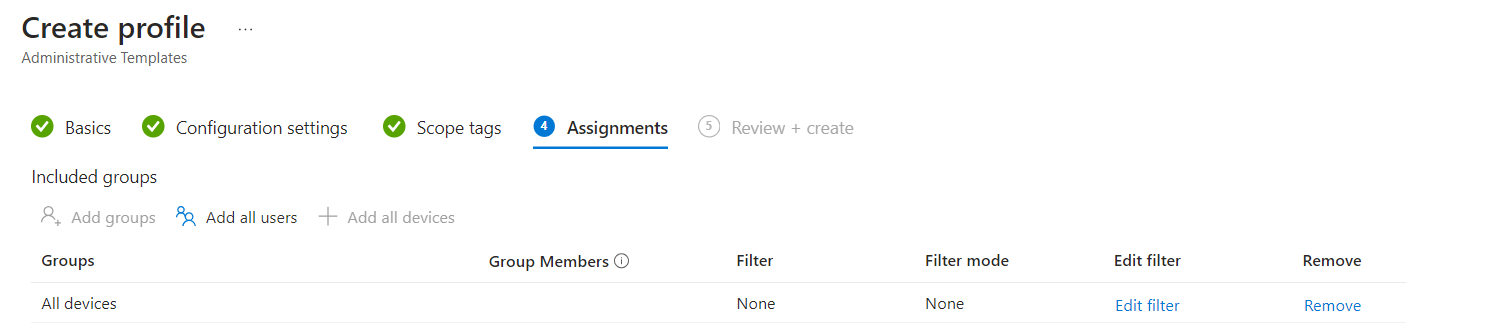
Assign to all devices.
Click next and create the profile, it will be deployed to Intune controlled endpoints within 1 hour.
Adding the Extension Manually
Requires that the UXM Desktop agent is installed.
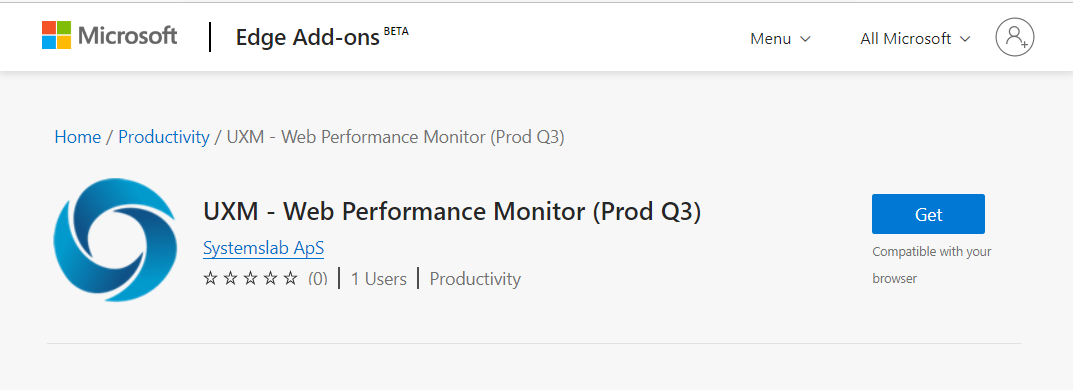
Open https://microsoftedge.microsoft.com/addons/detail/dkdgacdaedoigohjkiblhihockpkddom in Edge and press "Get".
macOS
Distribute Via JAMF
See https://docs.microsoft.com/en-us/DeployEdge/deploy-edge-mac-jamf
Edge Extension Versions
| Name | Web Store URL | Extension Key | Require UXM Desktop Agent Version | Manifest Version |
|---|---|---|---|---|
| dev | https://microsoftedge.microsoft.com/addons/detail/iehidhgamgepgjeeefjcjaogoccpfogn | iehidhgamgepgjeeefjcjaogoccpfogn;https://edge.microsoft.com/extensionwebstorebase/v1/crx | 2025.05.23 | 3 |
| 22q4 | https://microsoftedge.microsoft.com/addons/detail/oogjkalcgchmkcgndcdchdkcheoahepd | oogjkalcgchmkcgndcdchdkcheoahepd;https://edge.microsoft.com/extensionwebstorebase/v1/crx | 2023.01.02 | 3 |
| 23q4 | https://microsoftedge.microsoft.com/addons/detail/paebooopiahamjlhelhpjdfelgelclpi | paebooopiahamjlhelhpjdfelgelclpi;https://edge.microsoft.com/extensionwebstorebase/v1/crx | 2024.01.18 | 3 |
| 25q2 | https://microsoftedge.microsoft.com/addons/detail/dkdgacdaedoigohjkiblhihockpkddom | dkdgacdaedoigohjkiblhihockpkddom;https://edge.microsoft.com/extensionwebstorebase/v1/crx | 2025.05.23 | 3 |